

Check a drawing
A drawing is the laid-out picture of the network: node positions, edges, labels and visual encodings as they appear on screen. Garphield grades how readable and accessible a drawing is and lists fixes.
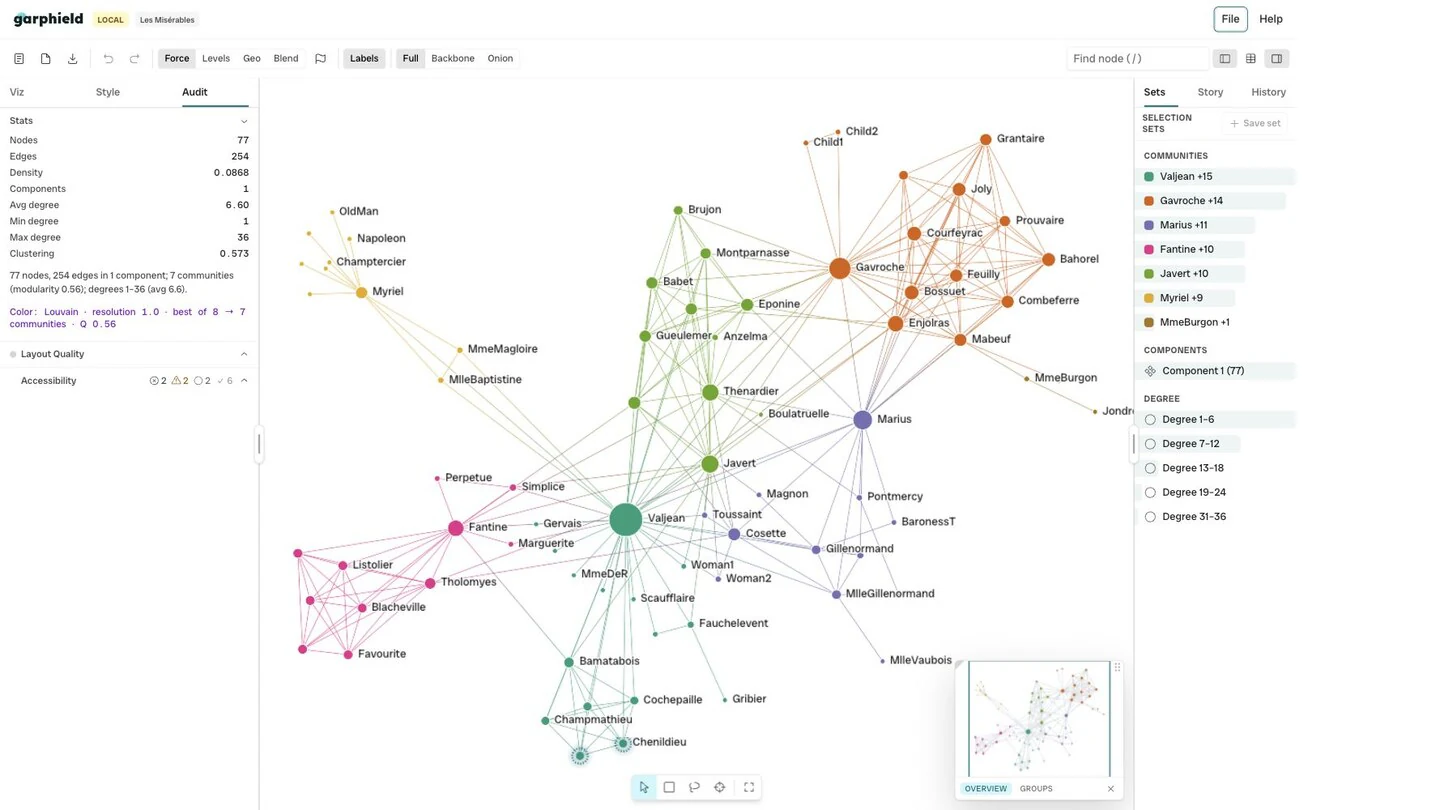
- Audit panel
-
Open Audit
Open Audit in the sidebar. It collects graph summaries, drawing measures and accessibility findings.
-
Read the quality grade
The Layout quality section grades the current view. Each drawing measure is rated good, warning or poor, and the dot beside the heading turns red when a validated measure is poor. Hover over a warning or poor measure to see a suggested fix. Compare visual patterns with the structural statistics before presenting them as findings.
-
Read the accessibility findings
The accessibility checks cover colour-only encoding, missing text alternatives, motion and reproducibility. Automated checks do not replace keyboard and screen-reader testing for a published result.
-
Fix the common findings
- Colour-only encoding: the audit flags encodings that rely on colour alone. Visual channels lists the channels that can carry the same source alongside colour, such as shape or size.
- Motion: layout animation is disabled when the browser requests reduced motion.